Zerial
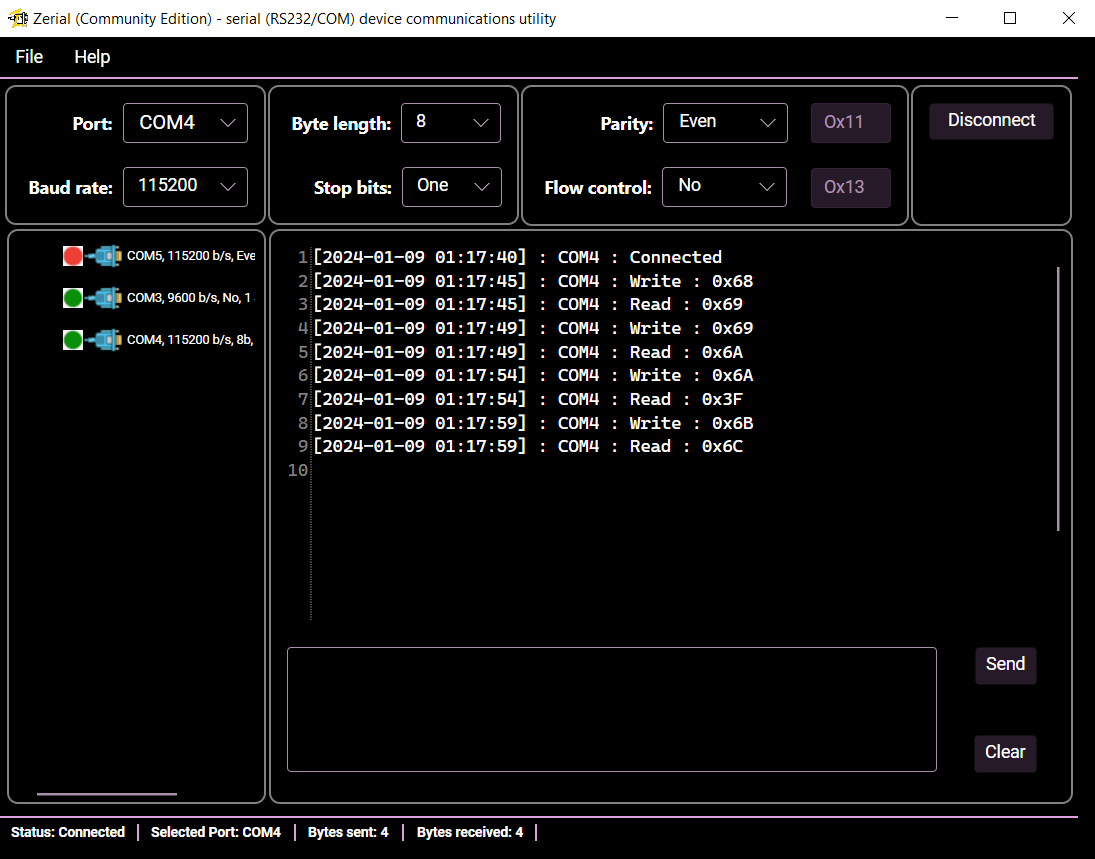
Zerial: Cross-Platform RS232 (COM Port) Terminal
A modern, lightweight, and responsive cross-platform GUI serial port terminal built with .NET and Avalonia UI.



🎯 Core Application Principles
- Minimalistic design: A lightweight application without heavy analyzers, complex command builders, or cluttered interfaces.
- Simplicity without compromise: Exceptionally easy to use, yet far more capable than a raw terminal with a basic text prompt.
1. Key Features
- High Performance & Low Resource Consumption:
- Fast launch (cold and warm start
< 3s). - Low memory footprint (
< 100 MB). - Close to 0% CPU consumption when communicating with correctly operating COM devices.
- Fast launch (cold and warm start
- Developer-Friendly & Convenient:
- Streamlined data exchange in binary format via HEX mode.
- Multi-port support (allows communicating with several devices simultaneously).
- Multi-platform deployment everywhere
.NETruns (Avalonia UI acts as a modern cross-platform alternative to WPF). - Out-of-the-box support for multiple localizations without re-compilation (configured via
./Assets/Languages).
2. Installation
:computer: Windows
Zerial can be installed via Chocolatey or using a classic standalone installer built with InnoSetup:
- Via Chocolatey:
choco install wissance-zerial - Standalone Installer: Available in the releases section.
🐧 Linux
The application is officially distributed as a Snap package.

To ensure the Snap package has the required permissions to access hardware serial ports, execute the following commands:
sudo snap set system experimental.hotplug=true
sudo systemctl restart snapd.service
sudo snap connect wissance-zerial:serial-port
Note: Your Linux user must belong to the dialout group to access serial interfaces (replace $USER with your actual username):
sudo usermod -a -G dialout $USER
If you need to view active Snap slots or connect a USB-to-Serial converter interface manually, run:
snap interface serial-port
sudo snap connect wissance-zerial:wissance-zerial-serial-port snapd:usbserial
3. Usage & Configuration
The application can be launched with a specific Environment profile that defines default configurations (e.g., logging settings).
By default, the profile is set to win-native. This means the application expects an appsettings.win-native.json file to coexist with the main appsettings.json in the same directory as the executable.
The Snap version automatically forces the snap environment profile. You can manually specify a profile via the command line interface:
./Wissance.Zerial.exe --environment=win-native
4. Support the Project
You can help us maintain and improve Zerial:
- Support us on Boosty:
- Other ways to contribute: Read our detailed guide here.
5. Contributors